
Creating a form with AI in WhatsForm is quick and easy. The AI helps generate a complete form for you based on your business type and the information you want to collect.
Create a New Form
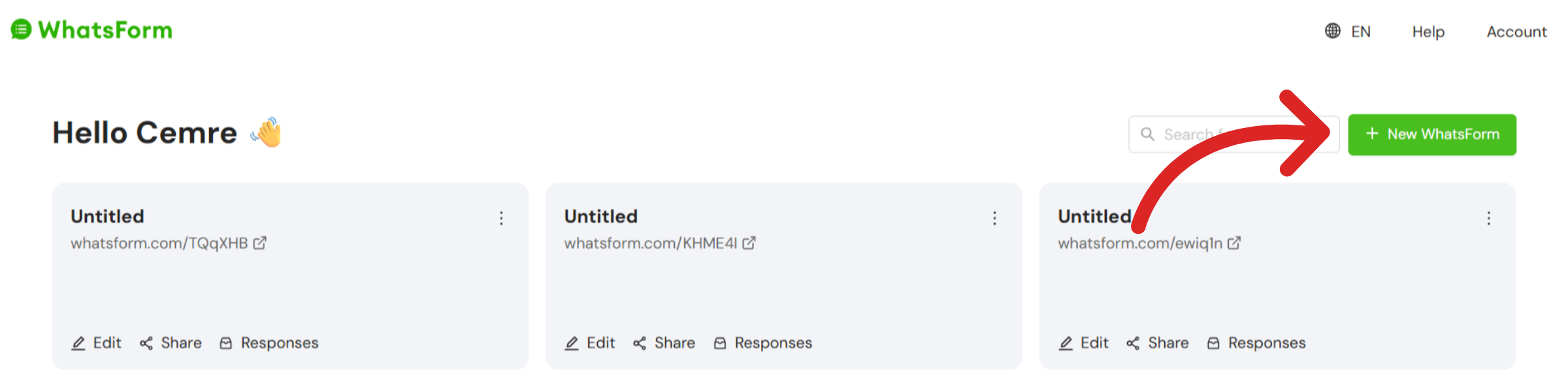
To start, log in to your WhatsForm account. From the main dashboard, click the + New Whatsform button at the top-right corner.
At this page, you'll be presented with three options. Choose Create With AI to let the AI builder generate your form automatically based on a few simple inputs.
Add Prompts
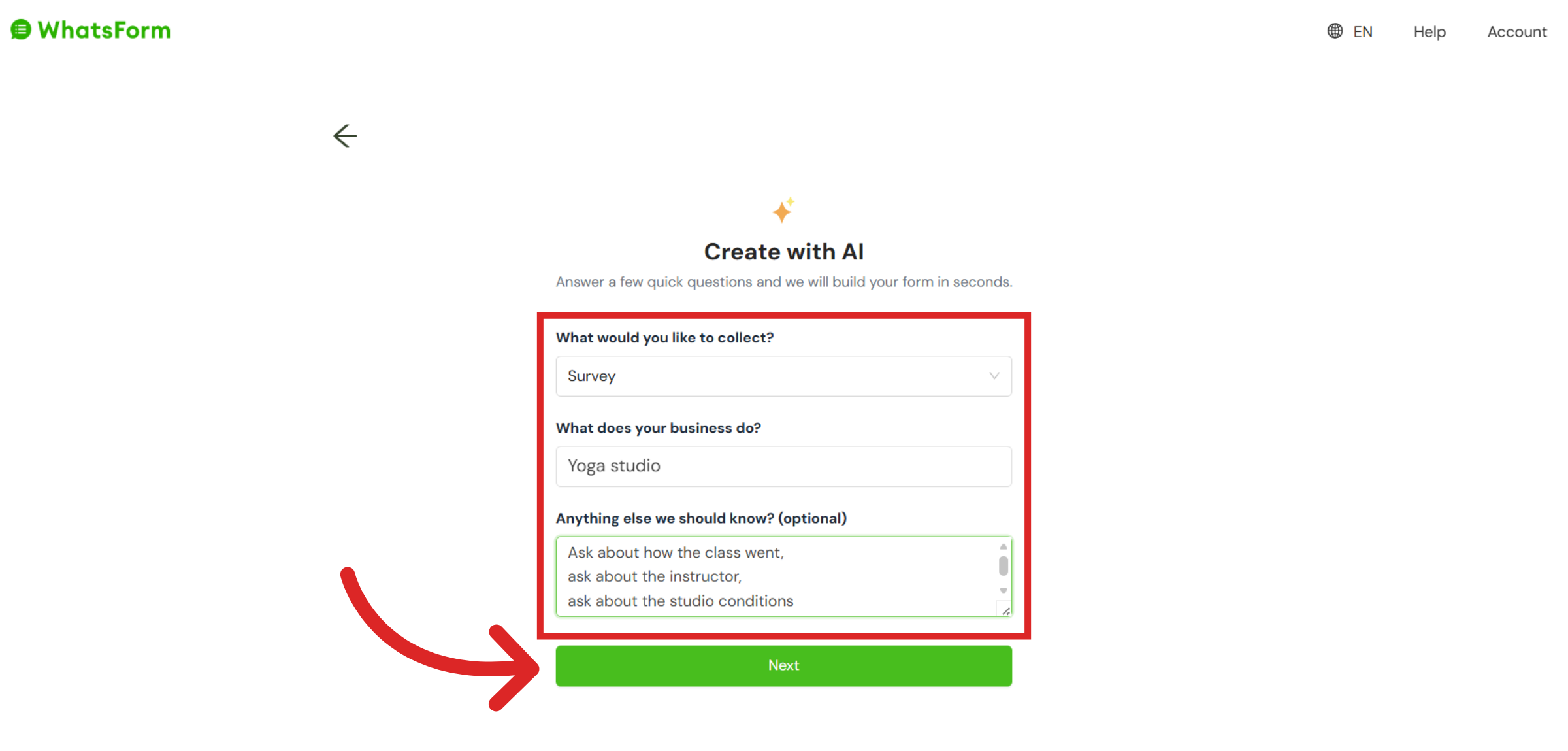
Tell the AI about your form and business. Choose the type of form you'd like to create, what your business is about and add any additional details to help the AI build the right form for you.
The more context you provide, the more tailored your generated form will be. Once you've filled in your business details and prompts, click the Next button to proceed to the final step.
Add the Final Details
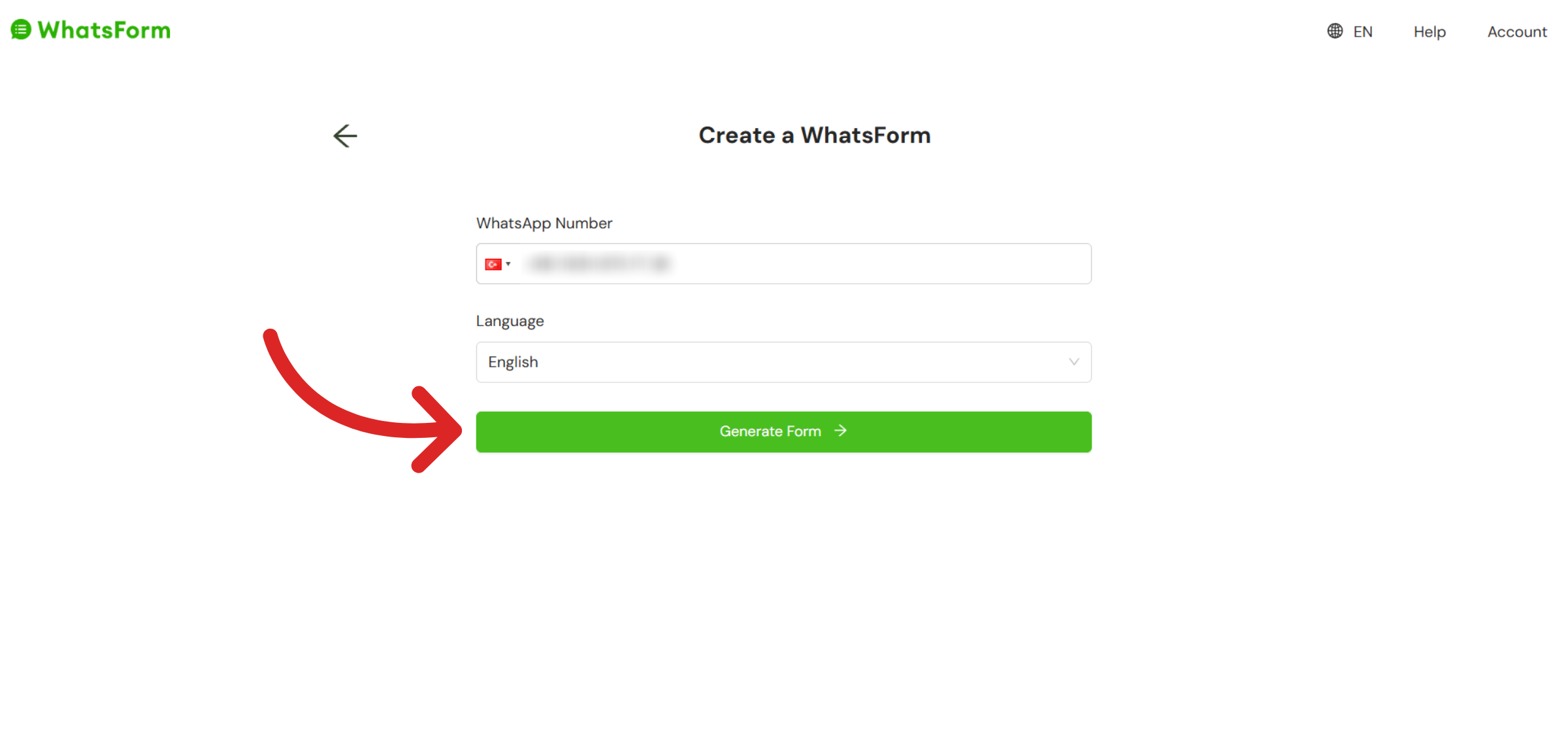
Add your WhatsApp number and choose the language of your form. Your WhatsApp number is where all form responses will be delivered. The language setting controls the language of your form's questions. Click Generate Form to finish the process.
 Review the Form
Your AI-generated form is now ready. You can review and edit it from the form builder on your dashboard.
Still need help?
Contact us