
Workspaces in WhatsForm help you organize your forms, team members, and projects in a structured way. You can create multiple workspaces and manage them separately.
Follow the steps below to create a new workspace:
Open the workspace menu
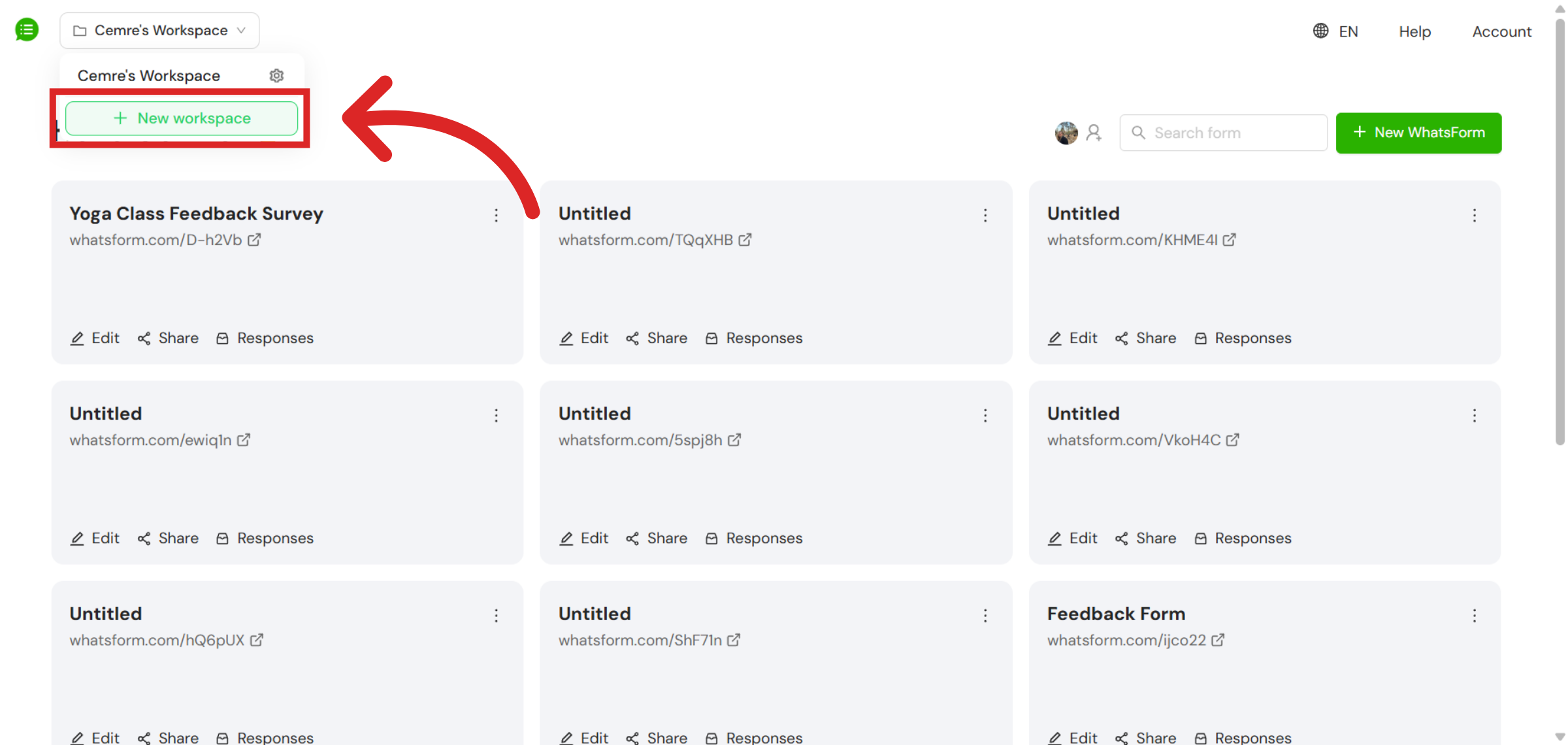
To begin, go to your WhatsForm dashboard and look at the top-left corner of the screen. There, you will see your current workspace name displayed in a box. Click on this workspace box to open the workspace dropdown menu.
Create a new workspace
Once the dropdown menu is open, you will see an option called + New workspace. Click on this option.
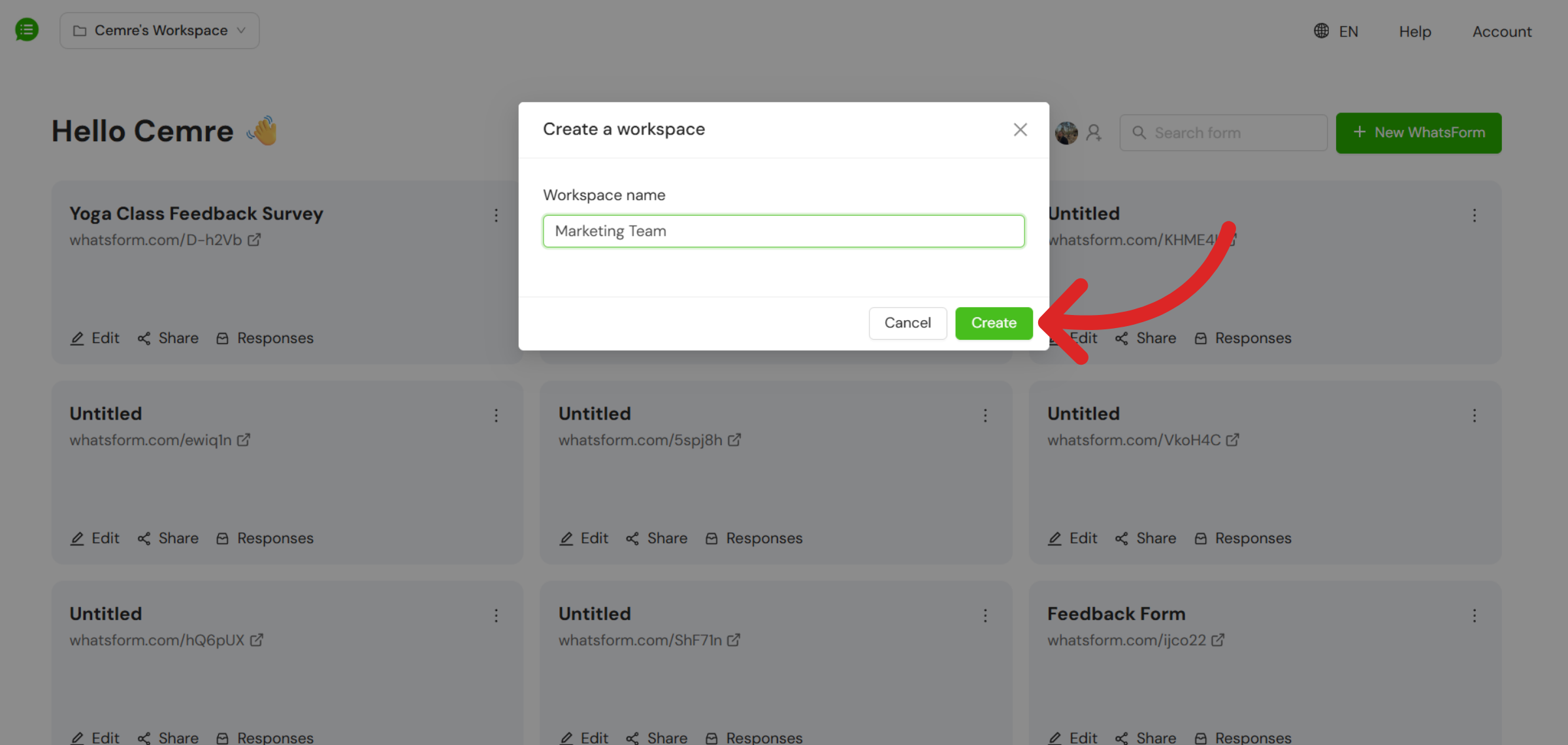
A popup window will appear asking you to name your new workspace. Enter a clear and meaningful name that reflects how you plan to use it, then click on the Create button. Your new workspace will be created immediately and will become available in your workspace list.
Still need help?
Contact us