
You can open the WhatsForm widget when a user clicks a button or a link on your website. This helps you control when the form appears instead of showing it by default.
Add the widget to your website
Go to your form’s Share tab, select Website, and copy the widget code under Add as widget.
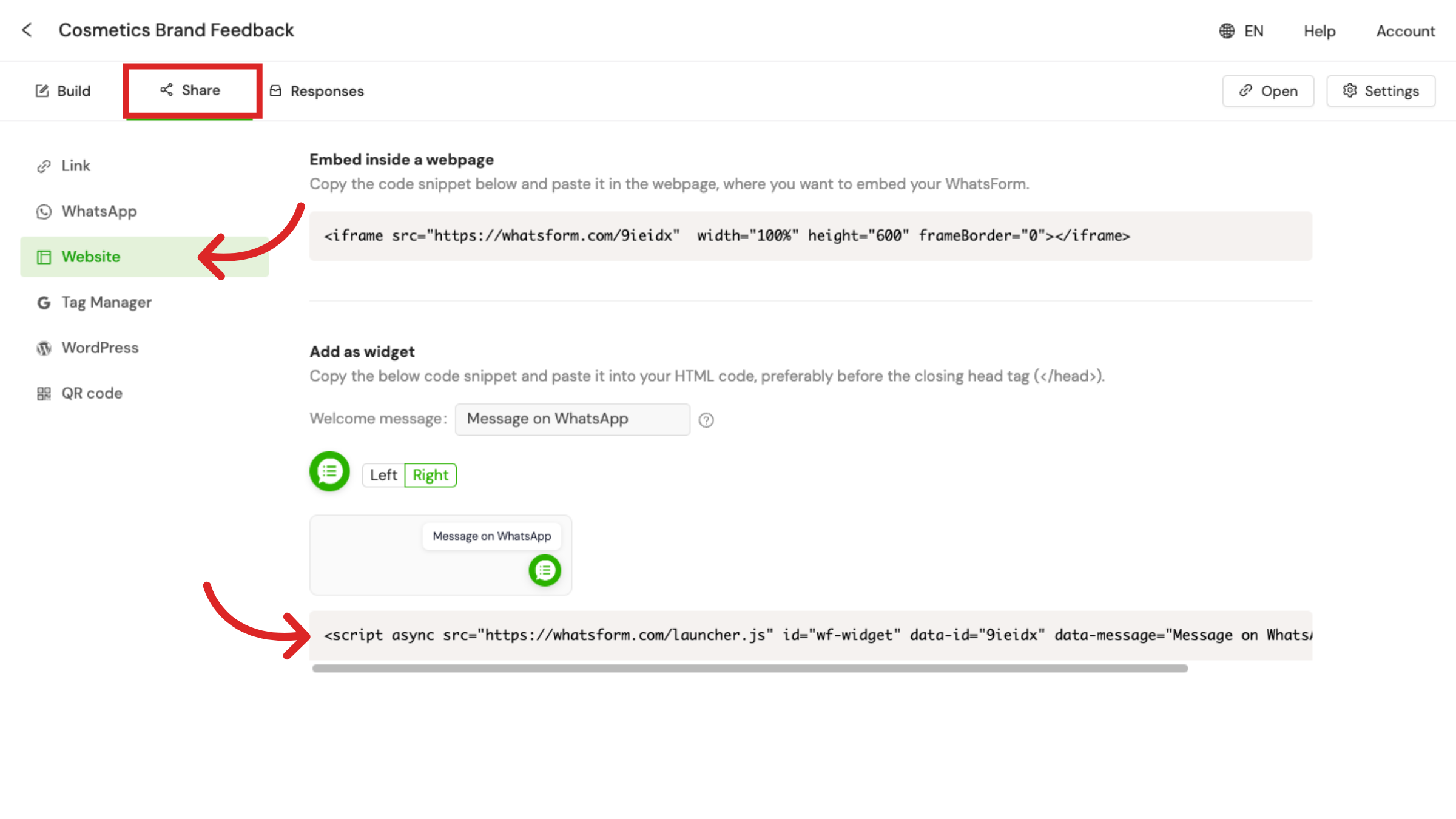 Then paste that code into your website’s HTML.
Open the widget using a button or link
Once the widget is added, you can use whatsform.open() to open the widget when a user interacts with your page.
Button
<button onclick="whatsform.open()">Open Form</button>Link
<a href="#" onclick="whatsform.open()">Open Form</a>Other available functions
You can also use these optional functions if needed:
whatsform.close();  // Closes the widget
whatsform.toggle(); // Opens if closed, closes if open
Note
Make sure the WhatsForm widget code is added on the same page where you are using these functions. Otherwise, it will not work.
If you’re not familiar with adding code to your website, you can take help from a web developer.
Was this article helpful?
Still need help?
Contact us